
A laser printer uses a laser beam and electrostatic charges to quickly produce sharp text and clear images on paper. This type of printer is excellent for high-volume printing, thanks to its efficient toner system that lasts longer and resists smudging better than ink.
The printed pages dry instantly, making it perfect for both professional and home use.
If you want to understand how a laser printer works, how to pick the right model, or how to maintain it, there’s plenty more to explore.
Key Takeaways
- A laser printer uses a laser beam to create electrostatic images on a drum that attract toner particles for printing.
- It produces high-quality, sharp text and graphics quickly, ideal for high-volume office and business use.
- Toner powder is fused to paper using heat and pressure, resulting in smudge-resistant and durable prints.
- Laser printers typically have longer-lasting toner cartridges compared to inkjet ink, reducing replacement frequency.
- They are efficient, cost-effective, and offer faster print speeds than inkjet printers, especially for monochrome documents.
What Is a Laser Printer?
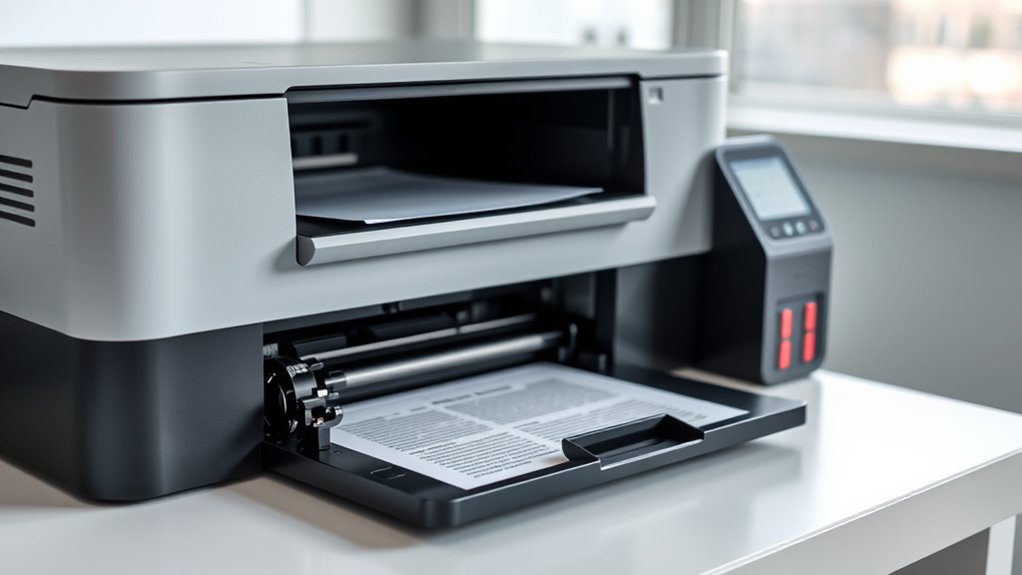
A laser printer is a type of printer that uses a laser beam to produce high-quality text and graphics on paper. You’ll find laser technology at the core of its design, enabling precise and fast printing.
This technology uses an electrostatic digital process that transfers toner onto paper, creating sharp images and clear text. Laser printers excel in printing applications where speed, accuracy, and volume matter, such as in offices or businesses.
Using electrostatic digital processes, laser printers deliver sharp, clear prints quickly and reliably for high-volume needs.
They handle large print jobs efficiently and deliver consistent results without smudging. If you need crisp documents or detailed graphics regularly, a laser printer is a reliable choice.
Its ability to combine laser technology with efficient printing applications makes it a staple device for professional and personal use alike.
How Does a Laser Printer Work?
Understanding how a laser printer works helps you appreciate the technology behind its sharp, fast printing. Laser printing technology uses a laser beam to create an electrostatic image on a drum inside the printer. Toner particles, which are charged, stick to this image.
Then, the printer transfers the toner onto paper and fuses it with heat, producing crisp text and images quickly.
This process is efficient and produces less waste compared to some other printing methods, which can help reduce environmental impact.
Because laser printers use toner instead of liquid ink, you’ll find they often last longer and require less frequent replacement. Knowing this, you can see why laser printers are popular in offices and homes where speed and quality matter.
Main Components Inside a Laser Printer
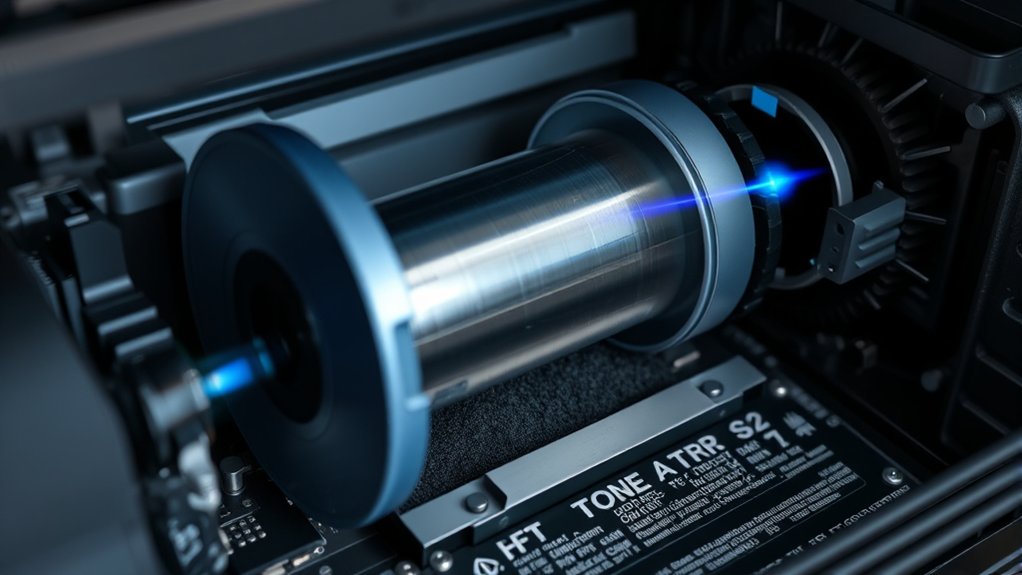
You’ll find several key parts working together inside a laser printer to create sharp prints. The imaging drum captures the image, the toner cartridge supplies the powder, and the fuser assembly melts the toner onto the paper.
Understanding these components helps you see how the printer turns digital files into physical pages.
Imaging Drum Function
Although it might seem like a simple part, the imaging drum plays an essential role in producing your printed pages. During the imaging process, it receives the laser’s image and attracts toner particles to form the text and images you want.
The drum’s surface is photosensitive, allowing it to hold an electrostatic charge that guides toner placement. You should know the drum lifespan affects print quality and when you need to replace it to avoid faded prints or streaks.
| Feature | Description |
|---|---|
| Function | Transfers laser image to toner |
| Surface | Photosensitive coating |
| Role in Imaging | Holds electrostatic charge |
| Drum Lifespan | Usually measured in pages |
| Maintenance | Replace when print quality drops |
Toner Cartridge Role
Once the imaging drum attracts the toner particles to form your print, the toner cartridge supplies and stores these particles. It contains finely ground powder made of pigments and plastic, which sticks to the drum’s charged areas.
As you print, the toner cartridge releases just the right amount needed for each page. Understanding toner lifespan helps you anticipate when a toner refill is necessary to avoid print quality issues.
When toner runs low, colors fade or prints become patchy, signaling it’s time to replace or refill the cartridge. Proper handling during a toner refill guarantees the cartridge functions smoothly without leaks or clogs.
Fundamentally, the toner cartridge plays an essential role in maintaining the sharpness and consistency of every printed page you produce.
Fuser Assembly Process
The fuser assembly plays an essential role in completing the laser printing process by permanently bonding the toner to the paper. Inside the printer, the fuser assembly uses heat and pressure to perform thermal bonding, ensuring the toner particles melt and fuse with the paper fibers.
This step is vital because, without it, the toner would simply rub off. You’ll find the fuser assembly typically consists of a heated roller and a pressure roller working together.
As the paper passes between these rollers, the heat softens the toner, while pressure presses it firmly onto the page. Understanding the fuser assembly process helps you appreciate how laser printers produce sharp, durable prints that don’t smudge or fade easily.
Types of Laser Printers and How to Choose
When choosing a laser printer, you’ll find several types designed to meet different needs, from personal use to high-volume office tasks. Monochrome printers are ideal if you mainly print text documents. They’re typically faster, more affordable, and require less maintenance.
On the other hand, color printers let you print vibrant images and graphics, making them perfect for marketing materials or presentations. Consider your printing volume, budget, and the importance of color in your work.
If you rarely need color prints, a monochrome printer saves money. For businesses needing professional-quality color output, investing in a color laser printer is worthwhile. Evaluate features like print speed, connectivity options, and toner costs to choose the best laser printer that fits your specific requirements.
Laser Printers vs. Inkjet: Key Differences and Advantages
You’ll notice laser printers generally deliver sharper text and faster print speeds compared to inkjets. While inkjets may excel at vibrant color photos, laser printers often cost less per page and require less maintenance.
Understanding these differences helps you choose the best printer for your needs.
Print Quality Comparison
Print quality often determines which printer type fits your needs best. When comparing laser printers and inkjets, you’ll notice distinct differences in print resolution and color accuracy. Laser printers excel in sharp text and crisp lines, making them ideal for professional documents.
Inkjets, on the other hand, offer richer color accuracy and smoother gradients, perfect for photos and detailed images.
Consider these points when choosing:
- Laser printers provide consistent, high-resolution text prints.
- Inkjets deliver vibrant colors with better blending.
- Laser prints resist smudging and fading over time.
- Inkjet prints may require higher maintenance to maintain quality.
Speed and Efficiency
Although both laser and inkjet printers serve distinct purposes, understanding their speed and efficiency differences can help you choose the best option for your needs. Laser printers excel in printing speed, often producing multiple pages per minute without sacrificing quality.
This rapid output is ideal if you regularly handle large print jobs or need quick results. Beyond speed, laser printers offer efficiency benefits by using toner that lasts longer and handles high-volume tasks with less downtime.
Inkjet printers, while versatile, typically print slower and require more frequent ink replacement, which might slow you down. If speed and consistent, efficient performance matter most to you, especially in busy work environments, a laser printer is likely your best bet for maximizing productivity.
Cost and Maintenance
Because laser printers use toner cartridges that last longer than inkjet cartridges, they often cost less to maintain over time. When considering laser printer cost, you’ll find that while the upfront price may be higher, the long-term expenses are usually lower due to fewer cartridge replacements.
To keep your printer running smoothly, follow these maintenance tips:
- Clean the printer regularly to avoid dust buildup
- Replace toner cartridges only when necessary
- Use genuine toner to prevent damage
- Keep firmware updated for peak performance
Simple Maintenance Tips to Keep Your Laser Printer Running Smoothly
Keeping your laser printer in top shape requires just a few simple maintenance steps. Regular printer cleaning helps prevent dust and toner buildup, which can cause paper jams and reduce print quality.
Use a soft, lint-free cloth to wipe the exterior and carefully clean the interior components according to the manufacturer’s instructions. Pay special attention to the rollers and the toner cartridge area.
Gently clean your printer’s exterior and interior, focusing on rollers and toner cartridge areas as per instructions.
Speaking of toner replacement, make certain to replace cartridges promptly when printouts start fading or showing streaks. Using genuine toner cartridges guarantees consistent quality and avoids damage.
Additionally, keep your printer in a dust-free environment and avoid overloading paper trays. These straightforward actions will help your laser printer run smoothly, extend its lifespan, and maintain high-quality prints without unexpected interruptions.
Frequently Asked Questions
Are Laser Printers Safe for Home Use?
Yes, laser printers are safe for home use if you follow proper laser safety guidelines. Guarantee good ventilation during home printing to minimize toner dust exposure.
Regularly maintain your printer for peak performance and safety.
Can Laser Printers Print on Fabric or Unusual Materials?
Fabric printing fascinates many, but laser printers can’t directly print on fabric or unusual materials. You’ll need special transfers or pre-treated surfaces to safely and effectively apply your designs onto those unconventional canvases.
How Long Do Laser Printer Toner Cartridges Typically Last?
You can expect your toner lifespan to last around 2,000 to 5,000 pages, depending on usage. When print quality fades or pages come out faint, it’s time for a cartridge replacement to maintain crisp prints.
Do Laser Printers Emit Harmful Ozone or Particles?
Yes, laser printers emit small amounts of ozone emissions and particle pollution, but modern models have filters to reduce this.
You should guarantee good ventilation to minimize any potential health risks while printing.
Can Laser Printers Connect Wirelessly to Multiple Devices?
You’ll find over 70% of modern laser printers offer wireless connectivity, letting you easily connect multiple devices. This guarantees great device compatibility, so you can print from laptops, smartphones, or tablets without hassle or cables.
Conclusion
Now that you know how a laser printer works and what sets it apart, you’re ready to make an informed choice that fits your needs. Think of your laser printer as a trusty engine—when you maintain it well, it’ll keep running smoothly and efficiently, delivering sharp, professional-quality prints every time.
With simple care and the right model, you’ll enjoy hassle-free printing that powers your productivity without any hiccups. By understanding what is a laser printer, you can select the best one to meet your printing demands and ensure consistent, high-quality results.