
A laser printer works by using a focused laser beam to draw your image onto a charged photoreceptor drum.
This laser changes the drum’s electrical charge, which attracts toner particles to those specific areas.
The toner then transfers to the paper, where heated rollers fuse it permanently.
This process creates sharp, smudge-free prints.
This precise and efficient method is why laser printers are ideal for high-volume, crisp output.
Keep exploring, and you’ll discover the key components and steps behind this technology.
Key Takeaways
- A laser printer uses a focused laser beam to create an electrostatic image on a photosensitive drum.
- Toner powder adheres to the charged areas on the drum corresponding to the laser image.
- The toner is transferred from the drum onto paper as it passes through the printer.
- Heated rollers in the fuser unit melt and press toner into paper fibers for permanent printing.
- Additional components like corona wires and rollers assist paper handling and maintain print quality.
What Is a Laser Printer and How It Differs From Other Printers
A laser printer uses a focused laser beam to produce high-quality text and images quickly and efficiently. Unlike inkjet printers, which spray liquid ink, laser printers use toner powder fused to the paper, offering sharper output and faster speeds.
You’ll appreciate the laser printer advantages, like lower cost per page and less frequent cartridge replacements, making it ideal for heavy printing tasks. However, keep in mind some laser printer disadvantages: they tend to be bulkier, more expensive upfront, and less effective for vibrant photo printing.
If you need crisp documents and fast performance, a laser printer suits you well. But if color accuracy and portability matter more, other printer types might serve you better. Understanding these differences helps you choose the right printer for your needs.
Overview: How a Laser Printer Creates an Image
Now that you know the key differences and benefits of laser printers, let’s explore how they actually create images on paper. Laser technology uses a focused beam to draw the image on a photosensitive drum. This charged drum selectively attracts toner particles, which are then transferred onto paper.
The paper passes through heated rollers that fuse the toner, creating a permanent image. This process happens quickly and with high precision, contributing to superior printing efficiency compared to inkjet printers.
You’ll find that laser printers handle large volumes smoothly, producing crisp text and sharp graphics. By combining electrical charges, toner, and heat, laser printers deliver consistent, high-quality prints at impressive speeds, making them ideal for both office and home use.
How Laser Light Creates the Printed Image
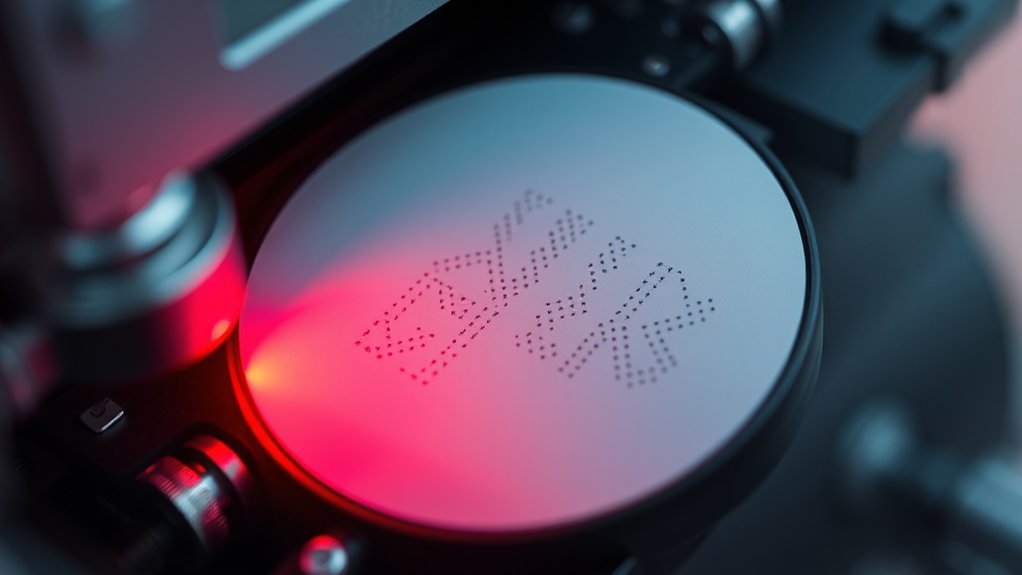
You’ll see how the laser beam precisely scans the drum to create an electrostatic image. This charged pattern acts like a blueprint for where the toner will stick.
Understanding this process shows how the printer turns digital data into a visible print.
Laser Beam Functionality
Although it might seem complex, the laser beam plays a crucial role in forming the printed image by precisely directing light onto a photosensitive drum. You’ll find that the laser beam’s precision is key to creating sharp, clear prints.
Here’s how it works:
- The laser emits a focused beam that scans across the drum’s surface, turning on and off rapidly to match the image data.
- This targeted light changes the drum’s electrical charge in specific spots, corresponding to the text or images you want.
- Advanced laser technology applications guarantee that this process happens quickly and accurately, enabling high-speed printing without sacrificing detail.
Electrostatic Image Formation
Because the laser beam alters the electrical charge on the drum’s surface, it creates an electrostatic image that acts as a template for the toner to stick to. You’ll see that the image development process depends on these precise electrostatic charges, guiding toner particles exactly where they’re needed.
The laser selectively discharges areas on the drum, forming a pattern of charged and neutral zones. This contrast allows toner, attracted to charged regions, to develop the image clearly.
| Step | Action | Result |
|---|---|---|
| 1. Charging | Drum surface gains charge | Uniform electrostatic charge |
| 2. Laser Exposure | Laser discharges specific areas | Electrostatic image formed |
| 3. Toner Application | Toner sticks to charged areas | Visible image created |
| 4. Transfer | Toner moves to paper | Final printout produced |
This precise control guarantees sharp, accurate prints every time.
The Role of the Photoreceptor Drum in Printing
You’ll find the photoreceptor drum at the heart of the laser printer’s process. It’s responsible for creating an electrostatic image that attracts toner particles in just the right places.
Understanding this drum’s role helps you see how your digital files turn into sharp printed pages.
Drum Function Overview
When the laser printer starts a job, the photoreceptor drum plays an essential role in transferring the image onto the paper. This drum is a cylindrical component coated with a photosensitive material that interacts with laser light to form the print pattern.
To keep your prints sharp and consistent, you should understand the drum’s function and care needs:
- The drum receives an electrostatic charge and selectively loses it where the laser hits, creating an invisible image.
- Toner particles stick to these charged areas on the drum.
- The drum then rolls the toner onto the paper, which is fused by heat to create the final print.
Regular drum maintenance and timely drum replacement are vital to avoid print defects and extend your printer’s life.
Electrostatic Image Creation
Although the photoreceptor drum might seem like a simple cylinder, it performs a complex task of creating an electrostatic image that guides toner placement. As the drum rotates, it’s first uniformly charged by a corona wire or charge roller.
Then, a laser selectively discharges areas on the drum’s surface, forming a precise electrostatic image based on your digital document. This pattern attracts toner particles using electrostatic forces, causing them to stick only to the charged regions.
When the drum rolls over paper, the toner transfers from the drum to the sheet during the image transfer phase. Finally, heat and pressure fuse the toner permanently onto the paper. Understanding this process shows how the photoreceptor drum orchestrates the delicate balance of electrostatic forces necessary for accurate, high-quality printing.
Charging and Discharging in Laser Printing
Since laser printing relies on precise electrical charges, understanding charging and discharging is essential to grasp how the image forms on the drum. The charging process evenly coats the drum’s surface with a negative electrical charge.
Then, during the discharging process, a laser beam selectively removes this charge where the image needs to appear. Here’s how it works in steps:
- The charging process uses a corona wire or roller to apply a uniform negative charge to the drum.
- The laser discharges specific areas by neutralizing the negative charge, creating a latent electrostatic image.
- Areas still charged attract toner particles, while discharged areas repel them.
How Laser Printers Apply and Fuse Toner to Paper
After the laser selectively discharges areas on the drum, the next step involves applying toner to create the visible image. The toner, a fine powder, sticks only to the charged parts of the drum. Then, the toner transfers from the drum onto the paper.
Finally, the fusing process heats and presses the toner, permanently bonding it to the paper fibers.
| Step | Description |
|---|---|
| Toner Application | Toner adheres to charged drum areas |
| Transfer | Toner moves from drum to paper surface |
| Fusing Heat | Heated rollers melt toner particles |
| Fusing Pressure | Rollers press toner into paper fibers |
This precise toner application and fusing process guarantees sharp, durable prints every time you use your laser printer.
How Paper Moves Through a Laser Printer
When you send a print job, the paper moves through the laser printer along a carefully controlled path. The process starts with the paper feed, which picks a single sheet from the tray. Then, the roller mechanism takes over, guiding the paper smoothly through the printer’s interior.
Here’s how it works:
- The paper feed grabs and aligns the sheet to prevent jams.
- Rollers transport the paper past the imaging drum where toner is applied.
- Finally, the paper passes through the fuser assembly, where heat and pressure fix the toner permanently.
This precise movement guarantees each page prints cleanly and accurately, avoiding misfeeds or smudges. Understanding this path helps you troubleshoot common printing issues related to paper handling.
Key Laser Printer Components and Their Roles
Understanding the key components inside a laser printer helps you grasp how the entire printing process works. First, the laser technology projects an image onto the photoreceptor drum, creating an electrostatic pattern.
Next, the toner cartridge releases fine toner particles that stick to the charged areas on the drum. Then, the drum transfers the toner onto the paper as it moves through the printer.
The toner cartridge deposits particles onto charged drum areas, which then transfer the toner onto the paper.
Finally, the fuser unit heats and presses the toner into the paper fibers, making the image permanent. Other essential parts include the corona wire, which helps charge the paper, and the rollers, which guide the paper smoothly.
Knowing these components and their roles helps you understand how laser printers deliver sharp, fast prints every time.
Frequently Asked Questions
How Do I Troubleshoot Common Laser Printer Errors?
You can troubleshoot common laser printer errors by clearing any paper jam carefully, checking toner levels, and ensuring cartridges are properly installed.
Restart the printer and update drivers if issues persist to maintain smooth printing.
What Maintenance Is Required for a Laser Printer?
You should regularly replace the toner cartridge and perform drum maintenance by cleaning or replacing the drum unit as needed. Also, keep the printer dust-free and update firmware to guarantee consistent, high-quality prints.
Are Laser Printers Safe for Home Use?
Yes, laser printers are safe for home use when you follow basic laser safety guidelines. Keep the printer well-ventilated, avoid prolonged exposure to toner dust, and handle cartridges carefully to minimize any health risks.
How Do Laser Printers Compare in Cost to Inkjet Printers?
You’ll find laser printers cost more upfront but offer better cost efficiency over time due to lower toner prices. Plus, they deliver faster printing speed, making them ideal if you print frequently or in large volumes.
Can Laser Printers Print on Different Types of Paper?
Yes, you can print on various paper types with laser printers. Just choose compatible paper to maintain print quality.
Using the right paper guarantees sharp, clear prints and prevents damage or jams in your printer.
Conclusion
You might think a laser printer just zaps images onto paper, but it’s actually a precise dance of light, static, and heat working together. As the laser draws the image, the photoreceptor drum charges and discharges, attracting toner exactly where it’s needed.
Then, heat fuses the toner perfectly to the paper. So, the next time your document prints instantly, remember—it’s a clever coincidence of science and technology making it happen seamlessly for you.
This is how a laser printer works, combining these elements to deliver sharp, clear prints every time.