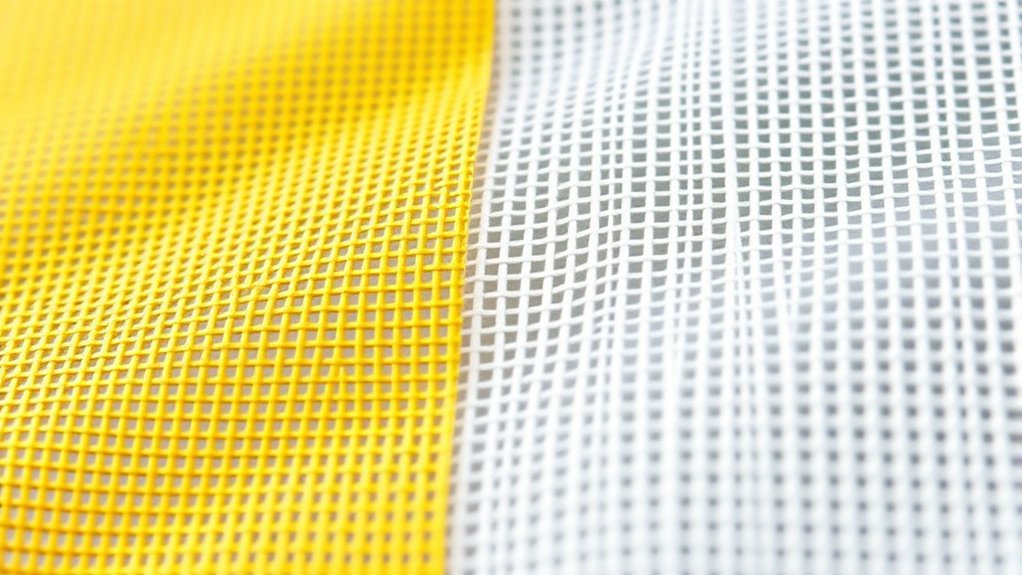

When choosing between yellow vs white mesh screen printing, you’ll find that yellow mesh reduces glare and enhances stencil visibility. This makes it ideal for fine details and low-viscosity inks by controlling exposure and minimizing ink bleed.
White mesh reflects more light, which can soften edges but works well with thicker, high-viscosity inks like plastisol.
Your choice affects print sharpness, exposure time, and stencil durability—key factors that influence multi-color precision and ink compatibility.
Understanding these differences allows for better control over your screen printing process. There are more nuanced insights to explore depending on your specific project needs.
Key Takeaways
- Yellow mesh reduces glare and eye strain, enhancing stencil detail visibility and print alignment under bright light compared to white mesh.
- White mesh allows more light transmission, risking overexposure and softer edges, while yellow mesh controls exposure for sharper print details.
- Yellow mesh minimizes ink bleed and improves sharpness with low-viscosity and water-based inks; white mesh suits thicker, high-viscosity inks like plastisol.
- Yellow mesh is preferred for fine detail and high mesh counts; white mesh works better with lower mesh counts and thicker ink applications.
- Consistent screen tension and appropriate mesh count (110–160 threads/inch) are crucial for multi-color projects regardless of mesh color choice.
Why Mesh Color Affects Print Quality and Stencil Exposure in Screen Printing
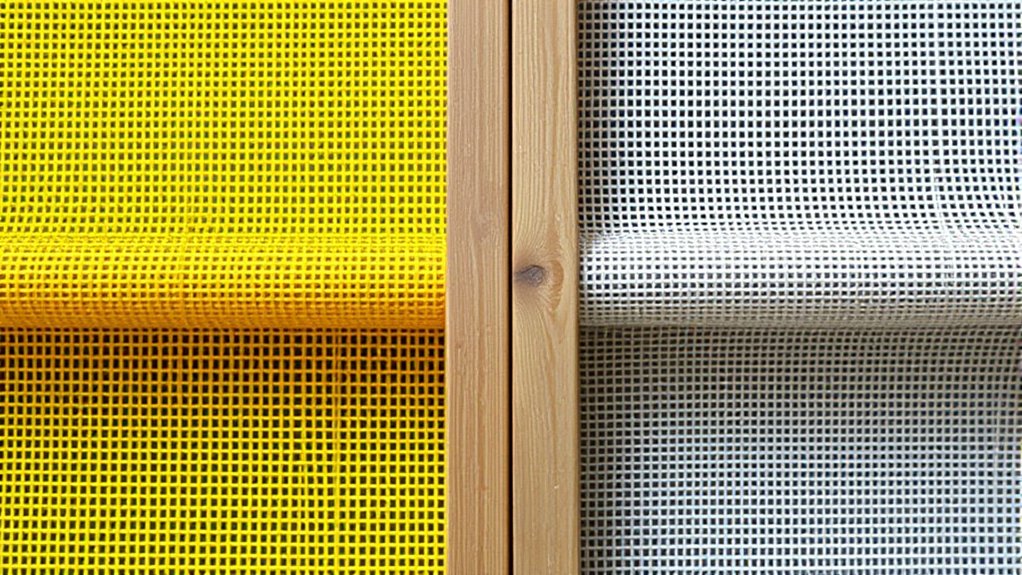
Although mesh color might seem like a minor choice, it directly influences both print quality and stencil exposure in screen printing. You need to understand the mesh color impact because it affects ink opacity and light transmission during stencil exposure.
Lighter mesh colors, like white, allow more light to pass through, which can cause overexposure of your stencil, reducing edge definition. Conversely, darker or yellow mesh absorbs some light, providing more controlled exposure and sharper print details.
When selecting mesh color, consider your screen printing techniques and the type of ink used. Matching mesh color to your specific process guarantees the best stencil durability and print clarity. Therefore, mesh color is a critical variable that directly affects your final print quality and reproducibility.
Stencil Visibility With Yellow vs White Mesh Screens
When you work under bright light, yellow mesh screens reduce glare, making stencil details easier to see compared to white mesh. You’ll also notice that yellow mesh enhances contrast with darker stencil colors, improving alignment accuracy.
In contrast, white mesh can reflect more light, sometimes washing out fine stencil lines during setup.
Visibility Under Bright Light
How does mesh color affect stencil visibility under bright light? When you work with white mesh screens, their high light reflection increases brightness perception, often causing glare that can obscure fine stencil details.
In contrast, yellow mesh screens absorb more light, reducing glare and providing a softer brightness perception. This subtle difference enhances your ability to discern stencil edges accurately during exposure and alignment.
Because white mesh reflects more ambient light, it can lead to visual fatigue over extended use, whereas yellow mesh’s muted reflection offers better comfort. So, if you’re operating under intense illumination, yellow mesh improves visibility by minimizing harsh reflections and enhancing detail clarity.
This technical advantage helps you maintain precision in stencil inspection and registration, critical for high-quality screen printing outcomes.
Contrast With Stencil Colors
Because stencil visibility directly impacts your ability to achieve accurate prints, the contrast between mesh color and stencil material plays a crucial role. Higher contrast ratios help you discern stencil edges clearly, reducing errors during alignment and exposure. Yellow mesh often provides better differentiation against darker stencils, while white mesh can cause lower contrast ratios with some materials.
| Mesh Color | Stencil Color | Contrast Ratio Impact |
|---|---|---|
| Yellow | Black | High Sharp edges |
| Yellow | White | Moderate Visible |
| White | Black | Moderate Blurred |
| White | White | Low Difficult |
| White | Transparent | Very Low Poor |
Selecting mesh color to maximize contrast ratios guarantees stencil edges remain crisp, improving print precision.
Print Clarity and Sharpness Differences Between Yellow and White Mesh
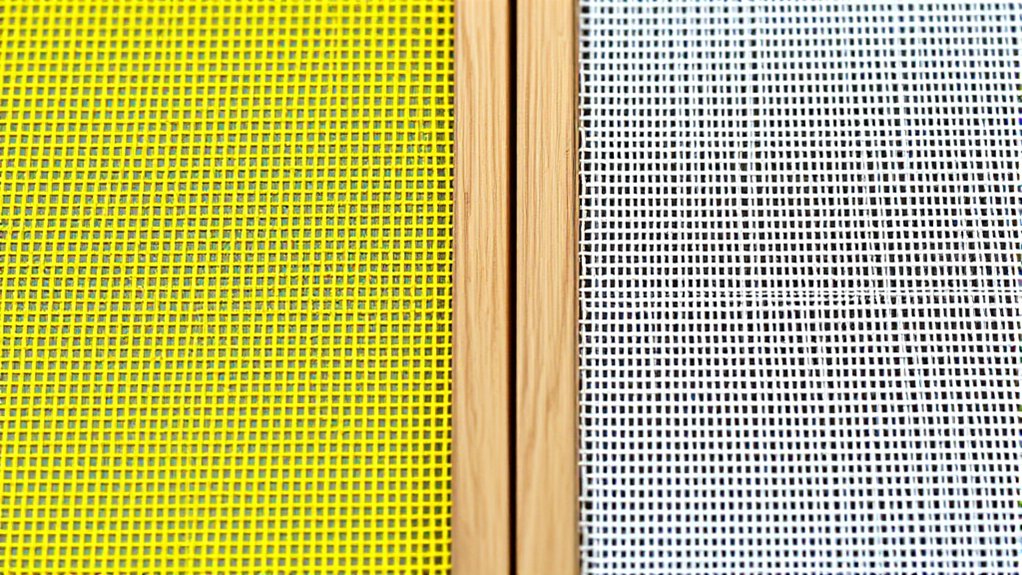
When you choose between yellow and white mesh screens, the color directly affects how fine details appear in your print. Yellow mesh tends to reduce glare and enhances contrast, which can improve sharpness in complex designs.
You’ll notice that white mesh provides a neutral background, but may not offer the same level of contrast needed for maximum print clarity.
Color Impact on Detail
Although both yellow and white mesh screens serve the same fundamental purpose in screen printing, their color greatly influences print clarity and sharpness. When you choose between yellow and white mesh, color perception plays an essential role in how details appear on your final print.
Yellow mesh filters ambient light differently, reducing glare and enhancing fine detail visibility during exposure. This leads to improved detail enhancement, allowing you to achieve sharper lines and intricate patterns. Conversely, white mesh offers a more neutral backdrop but may reflect more light, potentially compromising subtle details.
Consider these impacts:
- Yellow mesh improves your focus on fine details, minimizing eye strain.
- White mesh offers consistent exposure but less contrast in detail perception.
- Your choice directly affects the sharpness and precision of complex prints.
Contrast Effects on Sharpness
Since mesh color directly influences light transmission and reflection during exposure, it greatly affects print clarity and sharpness. When you use white mesh, its high reflectivity can create subtle light diffusion, slightly reducing sharpness perception by softening edges.
In contrast, yellow mesh absorbs more UV light and reflects less visible light, minimizing light scatter. This results in crisper stencil edges and enhanced print clarity.
Applying color theory, the yellow mesh’s warm tone reduces glare and contrast loss, improving your ability to discern fine details. Consequently, if your priority is maximizing sharpness perception for intricate designs, yellow mesh offers a technical advantage over white mesh by optimizing contrast effects during exposure and printing, leading to superior definition in the final print.
Ink Bleed Comparison: Yellow vs White Mesh Screen Printing
Because ink bleed directly impacts print quality, comparing yellow and white mesh screens reveals critical differences in performance. Yellow mesh tends to reduce ink bleed more effectively due to its tighter weave and lower ink saturation, preserving sharp edges and enhancing color vibrancy.
White mesh, while offering slightly higher ink flow, may increase the risk of bleed, especially with high-viscosity inks. You’ll notice these key factors:
- Improved edge definition with yellow mesh, minimizing unwanted ink spread
- Enhanced color vibrancy by controlling ink saturation precisely
- Potential for slight ink bleed on white mesh under heavy ink loads
Choosing between yellow and white mesh hinges on your priority for crispness versus ink deposit, with yellow providing superior bleed control for detailed designs.
Choosing Mesh Color for Water-Based and Plastisol Inks
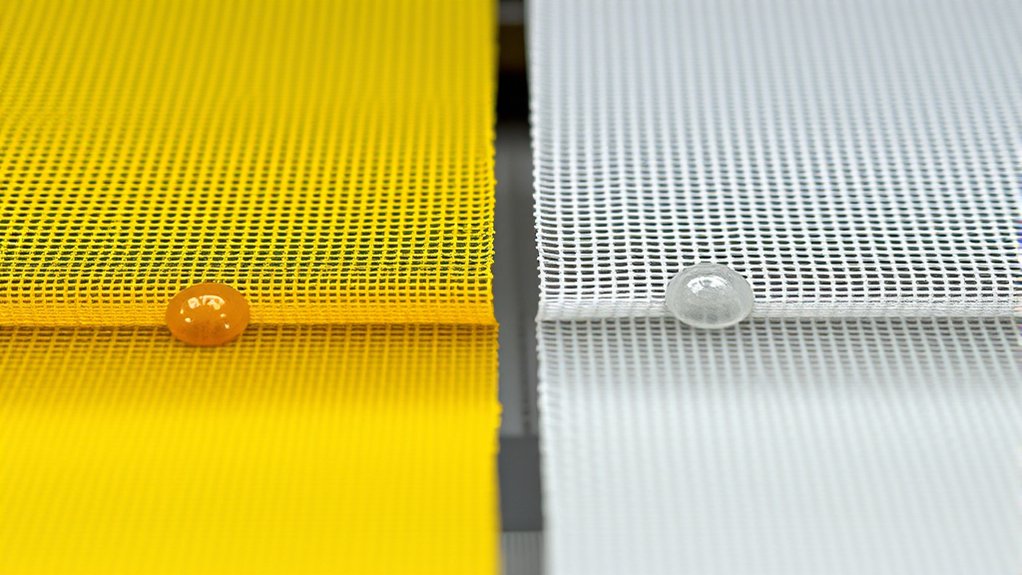
When selecting mesh color for water-based and plastisol inks, you need to take into account how each interacts with ink viscosity and curing requirements. Mesh color psychology influences your choice; yellow mesh reduces light reflection, aiding water-based ink curing, while white mesh generally suits plastisol’s thicker consistency.
Ink absorption differences also matter. Yellow mesh tends to absorb less ink, improving print sharpness with water-based inks. White mesh allows slightly more ink passage, beneficial for plastisol’s opacity.
| Ink Type | Mesh Color | Effect on Ink Behavior |
|---|---|---|
| Water-Based | Yellow | Lower ink absorption, faster curing |
| Water-Based | White | Higher ink absorption, slower curing |
| Plastisol | White | ideal ink flow, good opacity |
Choose mesh colors aligning with your ink properties for precise, durable prints.
How Mesh Color Affects Exposure Time and Stencil Durability
Understanding how mesh color influences ink behavior sets the stage for examining its impact on exposure time and stencil durability. Yellow mesh reduces light reflection, allowing more controlled exposure variables, which often leads to shorter exposure times and enhanced stencil longevity.
Conversely, white mesh reflects more light, potentially increasing exposure times and risking stencil degradation if not carefully managed.
When choosing between yellow and white mesh, consider that:
- Yellow mesh promotes precise exposure control, improving stencil sharpness.
- White mesh may require trial adjustments to avoid overexposure.
- Stencil longevity benefits from optimized exposure, reducing breakdown and rework.
Best Mesh Choices for Multi-Color Screen Printing Projects
Selecting the right mesh for multi-color screen printing projects involves balancing mesh count, thread diameter, and mesh color to achieve ideal ink deposit, registration accuracy, and stencil durability. For multi color techniques, choose a mesh count between 110 and 160 threads per inch, which offers fine detail without excessive ink blocking.
A moderate thread diameter guarantees consistent ink flow and robust stencil edges. Yellow mesh screens reduce halation during exposure, enhancing stencil precision critical for multi-layer alignment. Maintaining proper mesh tension is vital; it stabilizes the screen to prevent image distortion during repeated passes.
You’ll want consistent tension across all screens to maintain registration accuracy. Ultimately, selecting a yellow or white mesh hinges on your specific ink opacity and exposure setup, but optimizing mesh count and tension remains key to multi-color print quality.
Final Recommendations: When to Use Yellow or White Mesh Screens
Several factors influence whether you should choose yellow or white mesh screens for your printing project. Your decision hinges on mesh thread count compatibility and ink viscosity requirements. Yellow mesh screens excel with higher mesh thread counts, ideal for fine detail and thin ink applications.
White mesh suits lower thread counts, handling thicker inks effectively.
Consider these points when deciding:
- Ink viscosity: Use white mesh for high-viscosity inks; yellow for low-viscosity.
- Detail level: Opt for yellow mesh to capture intricate designs with precision.
- Durability and visibility: Yellow mesh reduces eye strain under bright light, improving print accuracy.
Frequently Asked Questions
Can Mesh Color Impact the Cost of Screen Printing Supplies?
Yes, mesh color can impact mesh pricing due to differences in dyeing and material costs. You’ll notice color visibility affects ink curing times, influencing overall screen printing efficiency and supply expenses.
Choose wisely for budget control.
Are Yellow or White Mesh Screens Easier to Clean After Printing?
Think of white mesh as a blank slate; it’s easier to spot ink residue, so you’ll use precise cleaning techniques to remove it efficiently.
Yellow mesh hides residue, making thorough cleaning more challenging and less exact.
Do Yellow and White Mesh Screens Differ in Environmental Impact?
You’ll find yellow and white mesh screens have similar environmental sustainability profiles, but yellow’s enhanced color fastness can reduce reprints, minimizing waste and chemical use.
This slightly improves overall eco-friendliness in your printing process.
Is There a Difference in Mesh Screen Lifespan Between Yellow and White?
Back in the day of quills and ink, you’d find mesh durability comparison shows minimal lifespan difference between yellow and white screens. However, color fading effects can influence visibility, not actual structural longevity of the mesh fabric.
Which Mesh Color Is Better for Beginner Screen Printers?
You’ll find white mesh better for beginners because it offers superior mesh visibility, helping you align designs precisely. It also provides consistent ink flow, making it easier to monitor and control your prints accurately during the process.
Conclusion
Choosing between yellow and white mesh screens is like selecting the right lens for a camera—each impacts your print’s clarity and exposure precision. Yellow mesh reduces light bleed during stencil exposure, enhancing sharpness and durability, especially with water-based inks.
White mesh offers true color visibility, making it ideal for plastisol inks and multi-color projects. It allows for accurate color matching and detailed designs.
Understanding these nuances guarantees you optimize print quality and ink behavior. This knowledge makes your screen printing process both efficient and precise when using yellow vs white mesh screen printing.